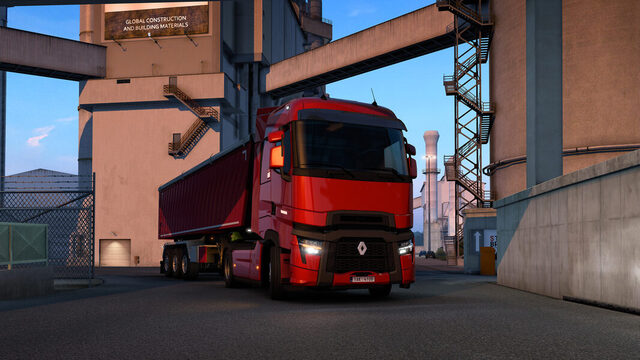
Besides the official Convoy mode, you can play Euro Truck Simulator 2 online through TruckersMP. To do so, create a TruckersMP account, link it to Steam and launch ETS2 through the TruckersMP launcher rather than opening the game normally.
TruckersMP exposes its currently supported ETS2 version dynamically through its official API. A fixed number for the required build or permanent recommendation for a Steam beta branch would quickly become inaccurate; use the version currently specified by TruckersMP.
TruckersMP versus the built-in ETS2 Convoy
| Feature | TruckersMP | ETS2 Convoy |
|---|---|---|
| Access | TruckersMP account and dedicated launcher | Built into ETS2 |
| Infrastructure | TruckersMP's own server network | Player-hosted session or SCS dedicated server |
| Rules | TruckersMP-specific rulebook | Rules and settings of the Convoy session |
| Version | Requires an ETS2 version supported by TruckersMP | Depends on the installed ETS2 release |
For a quick private trip with friends, the integrated Convoy mode is often simpler. See our ETS2 Convoy setup guide.
What you need for TruckersMP
You need Euro Truck Simulator 2 through Steam, a TruckersMP account and a linked Steam profile. TruckersMP describes the basic process as registration, linking Steam, downloading the client and launching the game.
If registration cannot verify your Steam game ownership, check Steam's profile privacy settings. A TruckersMP community manager specifically advised allowing the required Steam profile and game details to be publicly visible when handling a registration problem on January 20, 2026.
1. Create your TruckersMP account
- Open the official TruckersMP site.
- Begin registration and follow the Steam login and account-linking steps.
- Complete your TruckersMP profile.
If the service does not recognize your Steam profile, review the visibility of the game-ownership information needed for its verification, then repeat the process.
2. Install the official TruckersMP launcher
Download and install the launcher from TruckersMP's official download page. When playing TruckersMP, start ETS2 through its launcher rather than using the regular Steam Play button.
Allow launcher updates to finish before loading the game.
3. Find the ETS2 installation folder
If you need to locate the game's actual installation directory, use Steam instead of guessing a standard folder:
- Open the Steam Library.
- Right-click Euro Truck Simulator 2.
- Select Properties.
- Open Installed Files.
- Use the option to browse the local installation directory.
This is particularly useful if you keep multiple Steam libraries or games on additional drives.
4. Start TruckersMP and select a server
Launch ETS2 through the TruckersMP client and choose a server in TruckersMP's own network. Its official web API includes a /servers endpoint describing available servers and status.
Server names, capacity and availability change. Use the current launcher selection or official live server information instead of depending on an old list.
Read the TruckersMP rules first
TruckersMP uses its own rules. The official API includes a /rules endpoint for the current in-game policies, and the rulebook is also available on the website. Review it before driving, especially if you have only played private Convoy sessions before.
Drive with friends on TruckersMP
Have everyone connect to the same TruckersMP server, then agree on a meeting place in the game. This is not a conventional private ETS2 Convoy lobby; everyone is using TruckersMP's shared infrastructure.
Which mods are allowed with TruckersMP?
Mod support rules from the built-in Convoy mode do not automatically apply to TruckersMP. It has a separate rulebook and server-side restrictions for custom content.
TruckersMP documents ProMods separately and provides servers specifically marked for it. The supported ProMods version can change, so consult TruckersMP's current requirements and the chosen server's conditions before installing it.
TruckersMP says Unsupported Game Version
TruckersMP's official API describes the current supported ETS2 release through supported_game_version. A new SCS patch can temporarily put your Steam installation ahead of TruckersMP's supported build.
- Close ETS2 and TruckersMP completely.
- Check TruckersMP's currently supported ETS2 version.
- Open ETS2 → Properties → Betas in Steam.
- Switch to an alternative SCS-provided branch only if TruckersMP's current compatibility requirements demand it.
- Allow Steam's downloads to complete.
- Restart TruckersMP.
Do not follow a fixed branch number from an old guide. See our TruckersMP version mismatch guide.
TruckersMP does not start correctly
Check the essentials first: Did you start through the TruckersMP launcher? Are you pointing it to the correct ETS2 installation? Is your ETS2 build supported? Have Steam and TruckersMP finished updating?
Older help articles sometimes propose editing Windows Registry entries for the game path. Such changes are not a general first-line fix. Only consider them if current official TruckersMP support specifically requires them for your error; TruckersMP warns that some translated knowledge-base pages have become outdated.
After an ETS2 update
Do not automatically downgrade the game whenever a new ETS2 patch arrives. First check whether TruckersMP supports the new stable release. If it does, stay on the current release. If not, choose an older branch only when TruckersMP currently requires that exact version.
TruckersMP FAQ
Sources
- TruckersMP — Official site (registration, Steam linking and setup).
- TruckersMP — Download.
- TruckersMP — OpenAPI v2 documentation (server, rules and supported version fields).
- TruckersMP — Steam profile privacy support response.
- TruckersMP — Current rules.
- SCS Software — ETS2 1.41 Convoy release.