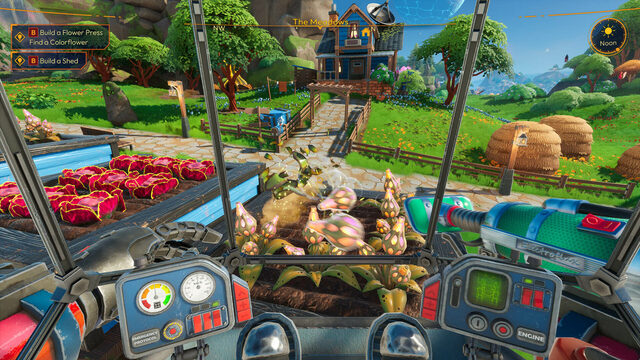
You can continue a Lightyear Frontier world from Xbox or the Microsoft Store on Steam, but not by directly copying a save file. Developer FRAME BREAK documents a workaround using Shared Copies: host a shared version of your existing world, join it from Steam using an invite code, and optionally keep a local Standard copy. You need access to the game on both the Xbox/Microsoft Store and Steam sides for the transfer.
How do you move a Lightyear Frontier Xbox save to Steam?
- Open the Xbox or Microsoft Store edition and go to Multiplayer > Host Multiplayer.
- Find the world you want to bring over. With the default controls, press F on keyboard or Y on controller to Create Shared Copy.
- Open the Shared tab. Select the newly created copy and host it as a multiplayer session.
- Open the pause menu and copy the session's invite code.
- Start your Steam edition of Lightyear Frontier. Use the invite code to join that shared world.
- If you want a standalone version available under Steam, optionally create a Standard copy of the Shared Save after joining.
These are the steps from FRAME BREAK's official Xbox-to-Steam migration guide. No third-party file converter is required. The key is to create and host the Shared Copy first; simply transferring a local Xbox file into Steam's save folder is not the supported method.
Which parts of the world transfer, and which do not?
| Carried into the Shared Copy | Not transferred to the joining Steam character |
|---|---|
| World day count, completed deliveries and other world progress | Items still in the old character's personal inventory |
| Available Mech Power, crafted items in storage and built Constructs | Crafted Mech Parts, Mods and loadouts tied to the old character |
| Farm, structures and other world-based developments | Certain character-specific missions and upgrades |
Think of the new Steam player as a new character entering an existing world. The homestead survives, but a personal build does not migrate with it. Before copying, FRAME BREAK recommends recycling Mech Parts and Mods and placing the recovered materials, together with inventory items, into world storage. The Steam character can then use those shared resources to craft equipment again. Check that your important materials have made it into storage before switching.
Can friends continue playing without the original host?
Yes. The developer says a Shared Save remains accessible to players who have joined it, even while the original host is unavailable. This is the feature that makes the migration method possible. A Shared Save is not the same as an unrestricted migration of personal progression, nor does it guarantee that the original and copied worlds will forever stay identical after separate changes.
Will Early Access saves still work in Lightyear Frontier 1.0?
Yes. According to the official version 1.0 FAQ, Early Access worlds remain usable after the November 4, 2026 update. FRAME BREAK recommends starting a fresh save to experience revised progression and balancing, but it is optional; the developer says existing saves can continue into the new content. This compatibility assurance is separate from the Xbox-to-Steam copy procedure.
What should you check if the Shared Save does not appear?
- Confirm you created a Shared Copy, not just selected the original Standard world.
- Make sure you are hosting the Shared Copy and using the code from its pause menu.
- Check both versions are updated and can connect to online multiplayer. The developer's earlier PC-only 1.0 beta specifically did not support Xbox crossplay; avoid mixing that beta with a public-version session.
- Do not assume personal gear is missing because the world copy failed. The transfer deliberately excludes character-specific inventories and progression.
For the game's wider four-player online co-op and 1.0 features, see the Lightyear Frontier profile and version 1.0 overview.