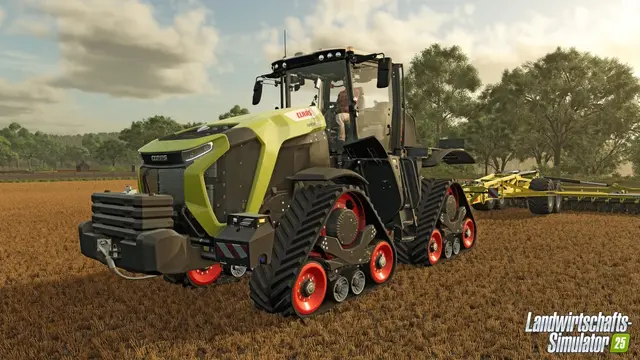
FS25 update 1.25.1.0 was released November 3, 2026. The procedure below concerns FS25 dedicated servers or game settings; verify that your server, players and required mods use compatible versions before applying changes. See the official GIANTS update list for patch details.
On a Windows PC, the Farming Simulator 25 developer console provides debugging, test and administration commands. To enable the normal developer console, first turn on development controls in game.xml. More invasive commands for fields, farmland and vehicle status additionally require cheat mode.
Technical source baseline: FS25 1.23.1.0, September 17, 2026; platform: Windows PC. This is about the local PC game's console, not a universal guide to a hosting provider's separate dedicated-server administration console.
Developer console versus cheat mode
The two features are not identical. Setting <controls>true</controls> within game.xml enables development controls and lets you open the console. Some additional commands are registered only when FS25 is launched with cheat mode enabled, according to GIANTS' scripting documentation.
| Feature | Developer console | Cheat mode additionally needed? |
|---|---|---|
| Open console | Required | No |
| Basic debug commands | Yes | Not always |
| Change field conditions | Required | Yes |
| Buy or sell land through commands | Required | Yes |
| Change certain vehicle values | Required | Yes |
Enable the FS25 developer console
Make a backup of your profile's game.xml before editing:
- Exit Farming Simulator 25 completely.
- Open
C:\Users\<YourName>\Documents\My Games\FarmingSimulator2025. - Back up
game.xml. - Open the file in a text editor.
- Find
<controls>false</controls>within<development>. - Change it to
<controls>true</controls>. - Save and restart the game.
The relevant XML should resemble:
<development>
  <controls>true</controls>
</development>
Open the console in game
After loading a save, press the console key. On English keyboard layouts the GIANTS Engine documentation names ~ or the backtick key. On a standard German keyboard, the corresponding key is usually ^ to the left of 1. Physical positions and symbols can differ by layout.
Enter console commands and execute them with Enter.
Enable extra commands with -cheats
If a command is missing despite the console being active, it may require cheat mode. This is particularly true for field conditions, parcels and several vehicle state modifications.
Steam launch options
- Open the Steam Library.
- Right-click Farming Simulator 25.
- Open Properties.
- In General, locate Launch Options.
- Add
-cheats. - Close the dialog and restart FS25.
Direct GIANTS Windows installation
Edit the game shortcut's Target so that an extra space and -cheats follow the executable path:
"...\FarmingSimulator2025.exe" -cheatsStart the game using that shortcut.
List every command in your installed FS25 version
A static “all commands” list can quickly become outdated after a patch. Actual availability also depends on cheat mode and whether you are the server, host or ordinary multiplayer client.
Open the console and enter:
helpThat lists the console commands registered in the currently running version. Compare with and without -cheats to see which additional commands are made available. If you only know part of a command name, type a relevant fragment such as field, vehicle or money and inspect the suggestions/autocompletion.
Important FS25 commands
These are selected useful or documented examples rather than a complete up-to-date command directory. Use help to verify them.
| Command | Function | Notes |
|---|---|---|
help | List commands currently registered | Recommended starting point |
showFps | Display current FPS | Debug |
enableFramerateLimit | Enable or disable frame-rate limiter | Engine/debug |
framerateLimitFPS | Set the FPS limit | Engine/debug |
listEntities | List loaded game entities | Debugging |
listResources | List resources | Debugging |
gsPlayerSuperStrengthToggle | Toggle the local player's super strength | Documented in FS25 scripting |
gsFieldSetState | Modify field state | Cheat; server-side restrictions |
gsFieldSetGround | Change ground and field conditions | Cheat; server-side restrictions |
gsFarmlandBuy | Buy a parcel by ID | Cheat; host/server permissions |
gsFarmlandBuyAll | Buy all available parcels | Cheat; host/server permissions |
gsFarmlandSell | Sell a parcel by ID | Cheat; host/server permissions |
gsFarmlandSellAll | Sell owned parcels | Cheat; host/server permissions |
gsVehicleReload | Reload the current vehicle or vehicles within a specified radius | Server side |
gsVehicleFuelSet | Set current vehicle fuel/energy amount | Cheat; server side |
gsFillUnitAdd | Change fill-unit content with type and amount | Cheat; server side |
gsVehicleAddDirt | Increase vehicle dirt | Cheat; server side |
gsVehicleAddWear | Increase vehicle wear | Cheat; server side |
gsVehicleAddDamage | Increase vehicle damage | Cheat; server side |
Add money through the console
Recent FS25 support discussions use gsMoneyAdd for money modification. Older lists may use gsAddMoney. Because names and arguments change by build, type money and use the current console suggestions instead of relying on an older syntax. These are cheat commands and require the corresponding launch setting.
Change field conditions
GIANTS' FS25 scripting reference documents gsFieldSetState and gsFieldSetGround. They are registered only when cheats are enabled. The former can set the status of particular fields; the latter affects ground conditions such as soil, fertilization, plowing, weeds, lime and other parameters.
Verify exact arguments in the running console instead of copying sequences from Farming Simulator 22 or older FS25 articles.
Buy and sell farmland
GIANTS lists these cheat-mode commands:
gsFarmlandBuy— buy a parcelgsFarmlandBuyAll— buy all parcelsgsFarmlandSell— sell a parcelgsFarmlandSellAll— sell owned parcels
They are restricted by host, server and master-user permissions. They may not work on an ordinary multiplayer client.
Vehicle commands
gsVehicleReload reloads the vehicle being used or vehicles in a specified radius. gsVehicleFuelSet sets a fuel/energy value for the current vehicle. gsFillUnitAdd changes a fill unit with the specified material and quantity.
Additional registered cheat commands change vehicle dirt, wear, wetness or damage. Many operate server-side and are not available to all multiplayer clients.
Toggle super strength
gsPlayerSuperStrengthToggle switches the local player's super-strength mode on or off, allowing unusually heavy objects to be carried or moved. Enter it again to toggle it back.
Fly using the developer command
The FS25 player scripting reference also contains gsPlayerFlightToggle. Use help or autocomplete to confirm it is registered in your version. Do not copy height and movement key assignments from old releases without checking them.
Why won't a console command work in multiplayer?
Some commands are registered only on the host/server because they modify authoritative world state. Fields, land purchases and several vehicle changes fall into this category. If a command works offline but is absent or refused on a multiplayer server, check administrator/host rights and whether it exists in the server environment.
This guide is for the local Windows game console, not hosting panels or a separate dedicated-server console.
Troubleshoot console problems
Console won't open
Confirm <controls>true</controls> in the <development> section of the game.xml actually used by your current profile. Restart the game after editing and verify the console key for your keyboard layout.
Command not found
Use help to check whether the command is registered. For cheat commands, verify FS25 was started with -cheats.
Command from an older game version doesn't work
Names and parameter requirements may change. Use autocomplete rather than assuming an FS22 or old FS25 command remains unchanged.
Only works in single player or as host
Server-side commands may require administrative permissions and may never register on a normal multiplayer client.
Disable the console and cheat mode again
Close FS25 and set <controls>true</controls> back to <controls>false</controls> in game.xml. Remove -cheats from Steam Launch Options or from the shortcut's Target if you used that additional mode.
Related FS25 guides
See our multiplayer troubleshooting guide, FS25 dedicated-server setup, and installing dedicated-server mods for related issues.
FS25 console FAQ
Sources
- GIANTS — FS25 1.23.1.0 update.
- GIANTS Developer Network — Game Engine v10.
- GIANTS — FS25 FieldManager.
- GIANTS — FarmlandManager.
- GIANTS — VehicleSystem.
- GIANTS — HandToolHands.
- GIANTS forum — Commands and autocomplete.
Technical review: FS25 1.23.1.0, September 17, 2026. Verify command availability against the running game before use.