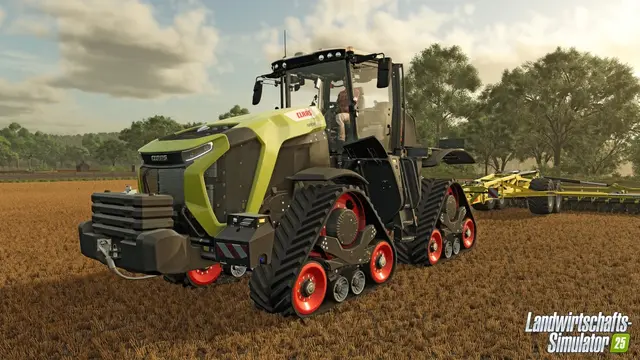
A Farming Simulator 25 dedicated server keeps a shared farm available even when its former player host is offline. This guide explains how to set one up on Windows, which license and network requirements apply, and when renting makes more sense.
Version note, October 14, 2026: GIANTS listed FS25 update 1.24.0.0, released September 29, 2026. The basic installation process was last checked against GIANTS' bundled server documentation on September 17. Match server and client versions and back up the farm before updating.
Self-host or rent an FS25 server?
If you have a suitable Windows computer and can maintain updates, port forwarding and backups, you can operate your own server. According to GIANTS, a dedicated server requires an additional game license. Renting can reduce the burden of configuration and maintenance, but the exact services and file access vary by provider.
Before renting, compare backup features, mod handling, crossplay support, current pricing and file access, not only the advertised player slots.
Hardware and licensing requirements
Official operating-system scope of these instructions: Windows. GIANTS' bundled Dedicated Server Software Documentation describes Windows and lists Windows 11 as a baseline. It does not document a native Linux dedicated server as the standard setup. Running it through Linux/Wine is therefore not an officially documented route in this source.
GIANTS' initial Dedicated Server Software Documentation, release 10.0.0.0 dated October 1, 2024, gives a documented baseline of Microsoft Windows 11, a 3 GHz CPU, 4 GB RAM, 50 GB free disk space, a fixed IP address and continuous internet access. These figures are a baseline, not a performance guarantee for large heavily modded farms.
License requirement: Each dedicated server needs a separate Farming Simulator license. One license key cannot be used simultaneously by the server and a game client. To play while self-hosting, you need a second license for the server.
Install the FS25 dedicated server on Windows
- Install Farming Simulator 25 on the Windows server computer.
- Update the installation to a build compatible with your players.
- Start the game once to activate the server license.
- Close the game.
- Open the Farming Simulator 25 installation directory.
GIANTS notes that a server without a dedicated GPU may show an error about missing 3D or shader support during the initial activation launch. A headless or virtualized environment may still have driver-specific limitations. The bundled server documentation does not list a separate dedicated graphics card as a baseline requirement.
Configure dedicatedServer.xml
FS25 provides dedicatedServer.exe and dedicatedServer.xml. Before exposing the interface, open dedicatedServer.xml in a text editor. Its <initial_admin> section contains the initial web administrator username and passphrase. Replace them with strong private credentials and never publish that XML.
The file also specifies the integrated webserver's port.
Start the web interface
- Run
dedicatedServer.exeas an administrator. - Check that the process starts without errors.
- In a browser, enter the server IP address and the webserver port configured in
dedicatedServer.xml. - Sign in using the
<initial_admin>credentials. - Set the server name, savegame, password, mods and other game options.
- Start the actual game server with START in the web panel.
GIANTS documents a built-in webserver; Apache or IIS is not necessary. Change game-server settings while the game process is stopped.
Which ports must you open?
Web interface
The older GIANTS documentation uses TCP 8080 as an example, but real FS25 installations may use other values. Read the actual <webserver port="..."> in dedicatedServer.xml; that is the applicable setting for your installation.
The admin interface is separate from multiplayer traffic. Avoid exposing it to the public internet unless genuinely necessary, and protect it with strong credentials and access controls.
Multiplayer ports
GIANTS' current troubleshooting guidance identifies these UDP ports:
| Port | Protocol |
|---|---|
| 10823 | UDP |
| 10824 | UDP |
| 10825 | UDP |
When self-hosting behind a router, forward the necessary incoming ports to the server machine and allow them through Windows Firewall. Use a fixed local IP address or DHCP reservation so the forwarding rule does not end up pointing to a different computer.
Crossplay, mods and DLCs
FS25 supports crossplay between PC and consoles. After patching, first confirm that all players and the dedicated server are on compatible builds. Mods and DLCs required by a particular world must also match.
For mixed-platform farms, every active mod must be available on all participating platforms. Start a newly configured server without additional mods, confirm someone can connect, then introduce mods in controlled steps. See the FS25 crossplay mod compatibility guide.
Player count caveat: The official FS25 documents reviewed do not establish a universal fixed maximum specifically for FS25 dedicated servers. The often-quoted 16-player figure comes from an official Farming Simulator 22 FAQ and should not be presented as an FS25 limit.
Manage saves and mods in the web panel
Current technical FS25 guides describe integrated savegame and mod management. Back up the farm before an import or major mod change. On a rented server, upload paths and controls vary by provider.
Configure a rented server
- Choose a provider offering current Farming Simulator 25 server hosting.
- Confirm save imports, mod management, backups and crossplay support.
- Create an unmodified test farm first.
- Test joining with the actual platforms in your group.
- Import the existing farm and enable mods step by step.
GIANTS publishes a page of licensed FS25 hosting providers. Compare updates, downloadable backups, file access and support alongside pricing.
Troubleshooting
The web interface is offline
GIANTS identifies two essential checks: launch dedicatedServer.exe with administrator privileges and make sure another application is not already using the configured webserver port. If changing that port, update both XML and firewall settings.
Players cannot join
Confirm the game server is marked running in the web panel, game versions agree, required mods and DLCs match, and the router/firewall is not blocking UDP 10823, 10824 or 10825. GIANTS also recommends testing without mods and temporarily disconnecting an interfering VPN or proxy. See FS25 multiplayer troubleshooting.
Further FS25 server administration
FS25 dedicated-server FAQ
Sources
- GIANTS — FS25 dedicated-server and hosting information.
- GIANTS — Multiplayer support.
- GIANTS — FS25 updates.
- GIANTS Software, Dedicated Server Software Documentation, release 10.0.0.0 (October 1, 2024), bundled with FS25 as
dedicatedServer_en.pdfordedicatedServer_de.pdf. - GIANTS — FS22 crossplay FAQ (clarifies why 16 players is not an evidenced FS25 limit).
- ZAP-Hosting — FS25 Windows server setup.
- GIANTS forum — FS25 dedicated-server discussion.