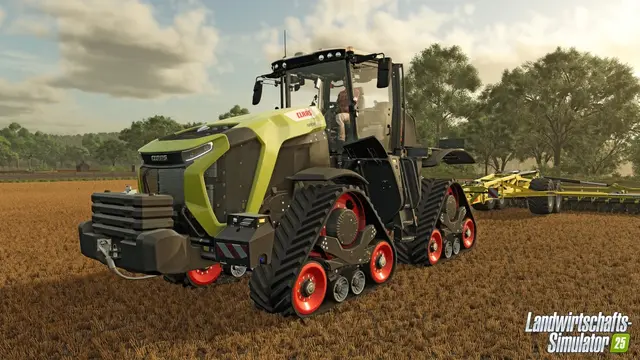
To use Farming Simulator 25 mods in crossplay between PC, PS5 and Xbox Series X|S, every enabled mod and its dependencies must list all participating platforms in the official GIANTS ModHub. A mod is not automatically console-compatible just because it appears in ModHub. Check each mod's platform list before loading a shared farm.
Game update: GIANTS released FS25 version 1.25.1.0 on November 3, 2026. Its official changelog includes multiplayer synchronization fixes and a fix for failed downloads of larger mods. Keep the server and clients on compatible game versions, and check the latest GIANTS release information.
The specific mod versions compared below were checked against the publisher's platform listings on September 3, 2026, when FS25 version 1.21.1.0 was the reference build: CoursePlay 8.1.0.3 was listed as PC/MAC only, while Precision Farming 1.5.1.0 listed PC/MAC, PS5, XBS. These historical listings are examples, not a fresh compatibility test under update 1.25.1.0. Recheck each current ModHub listing before installing it on a cross-platform server.
How to identify crossplay mods in FS25
If your group includes PC, PS5 and Xbox Series X|S players, each active mod should be released in the official ModHub for all three platform groups. The mod detail page should show a Platform field such as:
PC/MAC, PS5, XBS
GIANTS also offers a Crossplay filter in its current FS25 ModHub. This is the best starting point, but still check each mod page: it lists the mod version, required dependencies and the exact approved platforms.
Practical rule: For a mixed PC/PS5/Xbox farm, check every enabled mod individually. A mod listed only as PC/MAC does not belong in that console crossplay setup.
ModHub availability does not guarantee crossplay
The official ModHub illustrates this difference:
| Mod | Version checked | ModHub platforms | PC + PS5 + Xbox |
|---|---|---|---|
| CoursePlay | 8.1.0.3 | PC/MAC | No |
| Precision Farming | 1.5.1.0 | PC/MAC, PS5, XBS | Yes |
| Irgendwo in Thüringen IV Crossplay | 1.1.0.0 | PC/MAC, PS5, XBS | Yes, if all required mods are supported on those platforms too |
CoursePlay is an important counterexample: It is in the official ModHub and even includes a multiplayer fix in version 8.1.0.3. Nevertheless, GIANTS listed that version only for PC and Mac at the review date. It therefore was not an option for that mixed console group.
Precision Farming, on the other hand, was published by GIANTS itself with PC/Mac, PS5 and Xbox Series X|S on its platform list.
Why many script mods are PC and Mac only
GIANTS' official ModHub guidelines describe additional validation for console and crossplay submissions. Console-compatible mods must pass specific tests and follow technical restrictions.
A particularly important rule is that console mods must not include additional Lua scripts. As a result, many complex automation, gameplay and user-interface mods can be distributed through ModHub while remaining PC/Mac only.
Never rely on a mod's name or popularity, or on the mere fact that the download comes from ModHub. The supported-platform line on its official detail page remains authoritative for your combination of hardware.
Check a mod for crossplay step by step
- Open the official Farming Simulator 25 ModHub. Use its Crossplay filter as an initial shortlist.
- Open the desired mod's detail page. Confirm the content is specifically for Farming Simulator 25.
- Read the Platform line. Mixed PC, PS5 and Xbox Series X|S sessions require the supported-platform listing to include
PC/MAC, PS5, XBS. - Inspect Required Mods. If a map or expansion needs additional packages, each dependency must also work on every platform in the group.
- Check version and patch notes. Mods may require recent game patches; CoursePlay 8.1.0.3, for example, lists the current game patch as a requirement.
- Update your game and mods together. GIANTS warns that crossplay can be temporarily affected by staggered rollout of major updates.
This approach is safer than a fixed “best crossplay mods” list, since approval status, dependencies and software versions can change.
What about mods from external download sites?
For a session with console players, plan around mods with explicit console approval in the official GIANTS ModHub. PS5 and Xbox cannot simply install arbitrary PC mod files from independent websites. An external PC download therefore does not demonstrate console support.
Even when a mod has a separate official ModHub listing, inspect that particular release. A PC-only ModHub package remains PC-only. Pure PC/Mac groups may have other options, but this guide focuses on mixed-platform sessions.
Do not forget map and mod-pack dependencies
Maps often require additional mods. The official ModHub lists them under Required Mods. A map may be approved for PC, PS5 and Xbox while relying on additional items that must also be supported by each platform.
At the source review, Irgendwo in Thüringen IV Crossplay was listed for PC/MAC, PS5, XBS and required a longer list of companion mods. Check the complete dependency chain, not just the main map, before launching a shared save.
Dedicated servers and crossplay mods
Dedicated servers must satisfy the same game, DLC and mod compatibility requirements as a directly hosted multiplayer farm. For a combined PC/PS5/Xbox group, all active mods and dependencies must have approval for the participating platforms.
- Confirm the server and clients have compatible game versions, particularly after a patch.
- Inspect the entire enabled mod list, including map dependencies.
- Remove PC-only mods from the console crossplay configuration.
- Test updates or newly enabled mods one at a time to identify regressions.
GIANTS documents general multiplayer requirements, its ModHub filter and individual platform support. It does not document one universal upload and activation workflow for every hosting provider's web panel. Those steps depend on the host and server software.
If the server is unreachable even when the mod list is correct, see our FS25 multiplayer troubleshooting guide. If renting, compare backup access, file management, server location and crossplay support; a rental provider cannot make a PC-only mod work on console.
Why fixed crossplay mod lists go out of date
A static article claiming that certain mods will always work on all platforms is not reliable. CoursePlay's official ModHub presence with PC-only approval shows why. Before each major multiplayer session, inspect the current mod version, approved platforms and dependencies directly in ModHub rather than relying on an older recommendation list.
Manage mods on your dedicated server
Back up the existing farm and server configuration before uploading or updating mods. Follow the host's documented installation process, then verify that every client, the server and the enabled DLC use compatible versions. For console crossplay, each mod and dependency must also list the participating consoles in ModHub.
For step-by-step server installation, see our FS25 dedicated-server mod installation guide. Before changing a working mod set, follow the FS25 server backup and restore guide.
Running the same mod set on a rented server? Follow our FS25 dedicated-server mod guide and verify the hosting setup before enabling crossplay. Server hosting does not make PC-only mods available on PS5 or Xbox.
Sources
- GIANTS Software — Farming Simulator 25 updates (patch history and dates).
- GIANTS — FS25 ModHub crossplay filter.
- GIANTS — FS25 ModHub guidelines (console submissions and scripts).
- GIANTS ModHub — CoursePlay.
- GIANTS ModHub — Precision Farming.
- GIANTS ModHub — Irgendwo in Thüringen IV Crossplay.