Keep your group's world available between game nights. This is your starting point for choosing a hosting approach, setting up a dedicated server and looking after the saves everyone has put time into.
Start with the game's server options. Running the server software at home or on a VPS gives you responsibility for updates, network access and backups. A managed game server shifts some of that work to a hosting provider. Our guides explain the practical steps and the limits that matter for each game.
Hosting guides

Sons of the Forest Server Not Showing? Fixes
8 playersOnlineFind out why a Sons of the Forest dedicated server is missing or unreachable. Check three UDP ports, self-tests, LAN mode, NAT loopback and config errors.
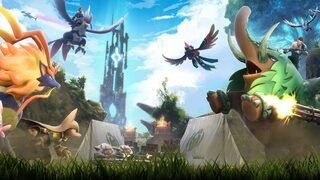
Palworld: Fix Steam, Xbox and PS5 Server Crossplay
32 playersOnlineCrossplayCrossplay in Palworld 1.0 requires the right server type, platform list and public listing. Diagnose console join failures and outdated server settings.
Rent vs. Self-Host a Game Server: Costs and Trade-Offs
Compare home hosting, managed game servers and VPS costs over 12–36 months, calculate electricity and find your hardware break-even point.
More hosting guides







Hosting news






Find a server for your group
Ready to explore hosting options for a specific game? Use the Hosting Finder to compare available server solutions, then follow the relevant setup guide to get your world running.